
Turn Every Inquiry into a Lead Instantly with Lead Capture Software for Elevator Business.
ElevatorPlus automatically captures leads from WhatsApp, your website, and phone inquiries into a single CRM. Every lead is tracked, assigned, and followed up - so your sales team focuses on closing, not hunting for contact details buried in chat history.
Experience Now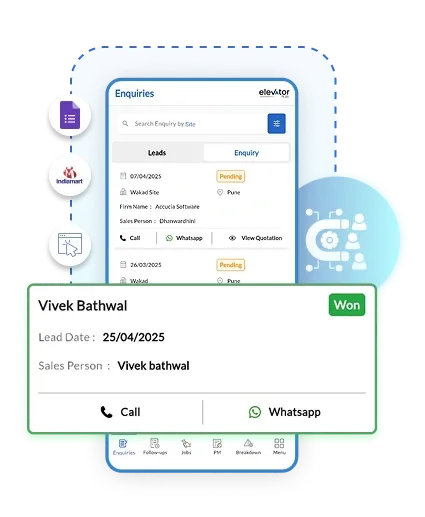
Stop Losing Leads in WhatsApp Chats and Random Spreadsheets
Every elevator company loses leads - not because the market is soft, but because the follow-up falls through. A WhatsApp message gets buried. A callback gets forgotten. A hot prospect goes cold because no one checked in at the right time. ElevatorPlus gives your sales team a structured pipeline where every lead is captured, assigned, staged, and followed up automatically.
 Automatic Lead Capture
From Missed Enquiries to Massive Growth - ElevatorPlus makes it happen.
How Lead Capture Works in ElevatorPlus
01
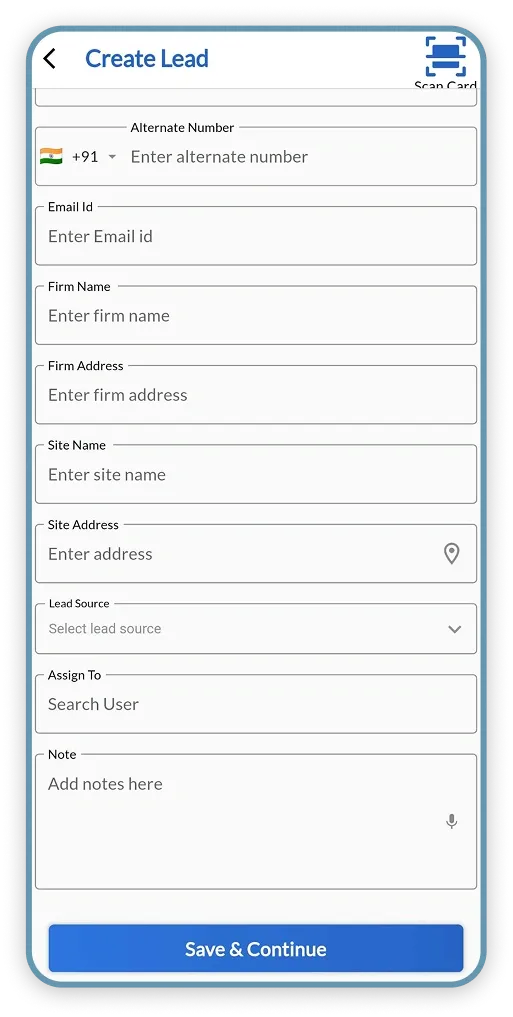
Capture Every Lead Automatically
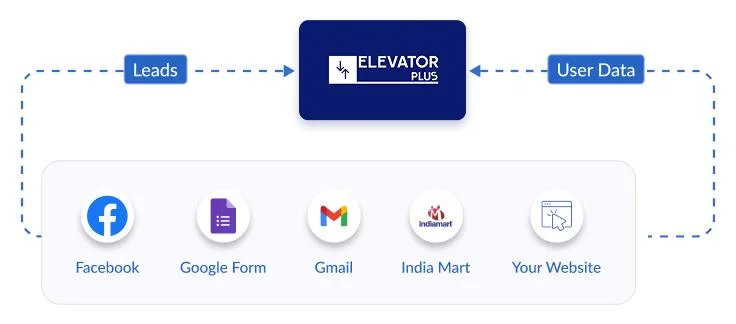
Leads from WhatsApp, your website form, Facebook ads, or direct calls are captured and entered into the CRM automatically. No manual entry, no leads lost in chat history.
02
Auto-Assign to Sales Team
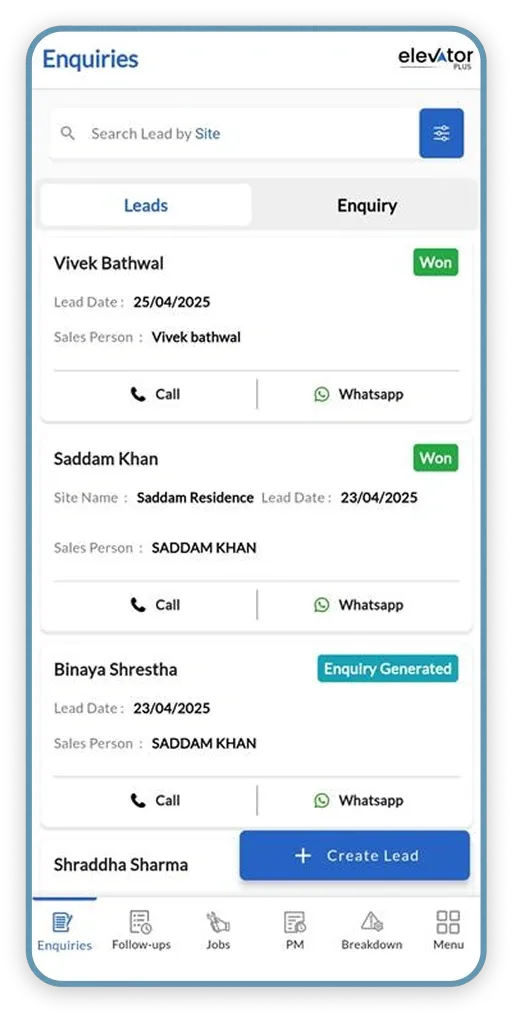
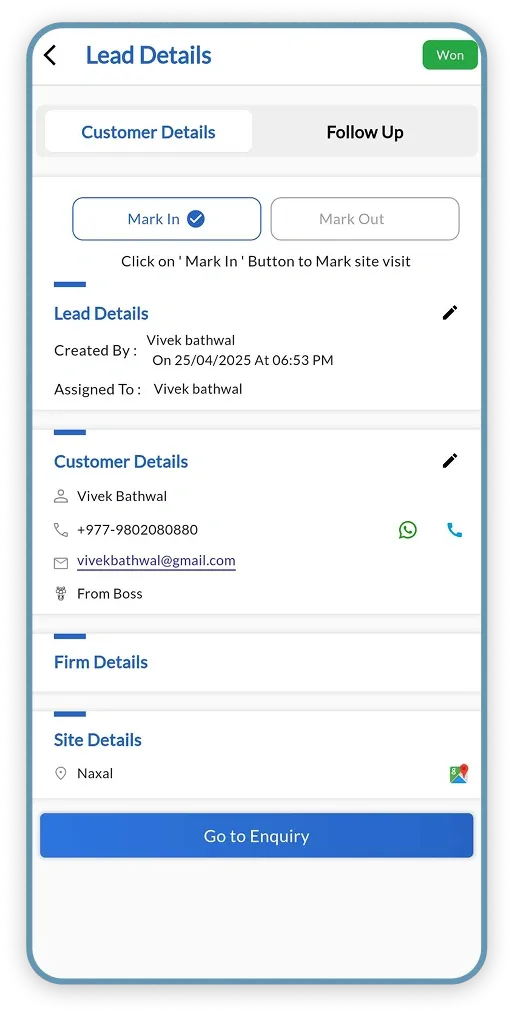
Each new lead is assigned to the right sales team member based on territory, availability, or lead type. Every lead has a clear owner from the moment it arrives.
03
Track Lead Stage
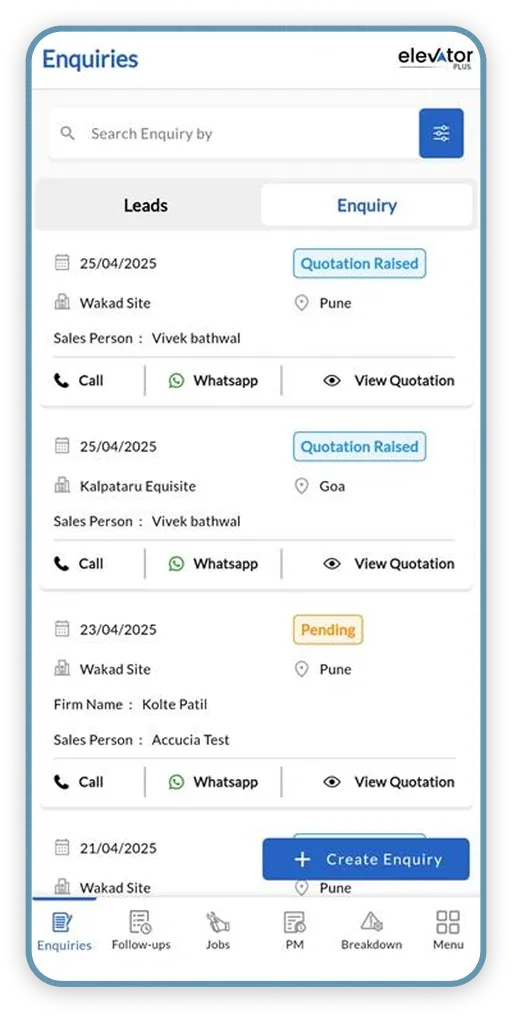
Move leads through your custom sales pipeline - New, Contacted, Site Visit Scheduled, Quotation Sent, Negotiation, Closed. See every lead's current stage at a glance.
04
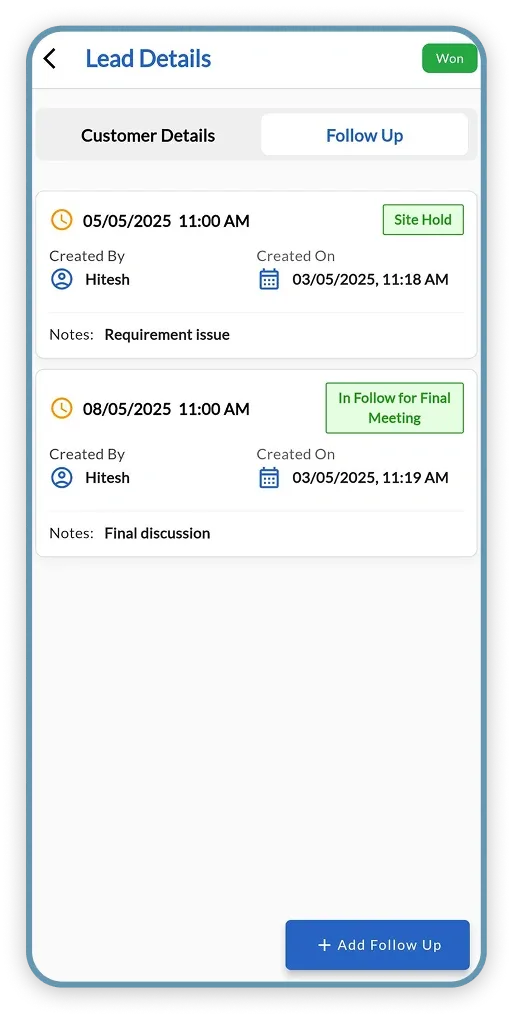
Set Follow-Up Reminders
Schedule follow-up calls, meetings, or site visits against the lead record. ElevatorPlus sends automatic reminders so no callback is ever forgotten.
05
Send Quotation from CRM
Generate and send a branded elevator quotation directly from the lead record - with specifications, payment terms, and project timelines - without switching tools.
06
Analyse & Improve Conversion
Track conversion rates by lead source, team member, and service type. Identify your highest-performing channels and replicate what works across your entire sales team.
Who Uses Lead Capture in ElevatorPlus
Business Owner
Tracks conversion rates by channel, team member, and elevator service type. Identifies which lead sources generate the most qualified enquiries and which sales representatives close fastest. Reviews pipeline health across the entire business without asking anyone for a manual update.
Operations Manager
Assigns incoming leads to the right sales team member based on territory or availability. Monitors follow-up compliance to ensure no lead goes cold. Reassigns leads instantly when a rep is on leave - with full context handed over so follow-up continues without disruption.
Sales Representative
Receives lead assignments with full enquiry context attached - no need to scroll through chat history. Logs call outcomes, schedules follow-ups, and generates branded quotations directly from the lead record without switching tools.
Watch How Elevator Companies Are Doubling Conversions by Capturing Every Lead Right
Old Way vs. New Way: Lead Management
From Lost Opportunities to a Lead Conversion Machine - Which Side Are You On?
| Factor | Old Way (Before ElevatorPlus) 
|
New Way (With ElevatorPlus)  |
|---|---|---|
| Lead Entry | Lost in WhatsApp, phone calls, or emails | Auto-captured and organized in CRM from every channel |
| Lead Ownership | Unclear - leads fall through the cracks | Every lead is auto-assigned to a named team member |
| Follow-Up Tracking | Manual diaries and forgotten callbacks | Auto-reminders and real-time follow-up status for every lead |
| Sales Pipeline View | No clarity on where leads are in the sales process | Visual pipeline showing every lead's current stage |
| Team Assignment | Confusion, double calling, and lead leakage | Smart auto-assignment to sales team with deadlines |
| Quotation | Sent from a separate tool, not linked to the lead | Generated and sent directly from the lead record |
| Lead Conversion | Poor - due to scattered, unstructured follow-up | 2X faster conversion with structured lead journey |
What ElevatorPlus Lead Capture Delivers
0
Leads Lost to Missed Follow-Up
2X
Faster Lead Conversion
100%
Leads Captured from All Channels
5 min
Average Time to Assign a New Lead
Capture Leads from Third-Party Platforms
Why ElevatorPlus?
ElevatorPlus is the Elevator Business Operating System, with an elevator CRM built around the elevator sales cycle: lead capture that understands your process, from first inquiry to signed contract.
- ✅ Never Lose a Lead Again - every inquiry captured automatically
- ✅ Organized Sales Process - clear pipeline from inquiry to closed deal
- ✅ Assign and Track - every lead has an owner and a next action
- ✅ Follow-Up Reminders - so no callback is ever missed
- ✅ Quotation from CRM - generate quotes without switching tools
- ✅ Conversion Analytics - know which channels and reps perform best
How Lead Capture Connects with the Rest of ElevatorPlus
Leads that convert flow into the modules that handle the work - automatically.
Frequently Asked Questions about Lead Capture
Q
What lead sources can ElevatorPlus capture leads from?
ElevatorPlus integrates with WhatsApp Business, web contact forms, Facebook Lead Ads, and manual entry for phone or walk-in inquiries. All leads land in the same CRM regardless of source, with the channel tagged automatically so you can track which sources perform best.
Q
What happens to a lead if the assigned sales rep is on leave?
ElevatorPlus supports instant lead reassignment from the dashboard. Managers can reassign leads to another team member with one tap. The new assignee receives an immediate notification with the full lead history attached, so follow-up continues without any interruption.
Q
Can I see how many leads are at each stage of the sales pipeline?
Yes. The lead pipeline dashboard gives you a visual count of leads at every stage - from first inquiry to closed deal. You can filter by team member, lead source, date range, or elevator service type to pinpoint exactly where leads are stalling in your sales process.
Q
Does ElevatorPlus integrate with WhatsApp for lead capture?
Yes. Leads who message your WhatsApp Business number are automatically captured as new CRM records. The conversation history is attached to the lead card so your sales team has complete context when they follow up - no need to scroll through chat history to find details.
Q
How do follow-up reminders work in ElevatorPlus?
When a sales rep contacts a lead, they log the outcome and schedule the next follow-up action directly in ElevatorPlus. At the scheduled time, the system sends an in-app notification to the assigned rep. Overdue follow-ups are highlighted on the manager's dashboard so nothing falls through the cracks.

Want to Turn Your Elevator Business
into a Lead Conversion Machine?
 www.elevatorplus.app
 hello@elevatorplus.app